
The CRM almost everyone has is also the one most often under-used.
Almost every company has Sales Cloud. Very few get what they paid for. The platform ends up as an expensive contact database: reps update it because they are told to, managers do not trust the forecast, and the automation that was supposed to save time quietly creates work. The gap is rarely the software. It is the design, the process baked into it, and whether the people who live in it every day actually want to.
- 01
What we actually do
We work across the full life of a Sales Cloud org. New implementations where we design the data model and sales process from the ground up. Optimization of mature, sprawling instances that have accumulated years of well-intentioned customization and technical debt. Deep customization and integration when the standard object model does not fit how you sell. AI augmentation with Agentforce where it earns its keep. And the seller-adoption work that determines whether any of it sticks, because a perfectly architected org no one uses is still a failure.
- 02
Where Sales Cloud projects go wrong
The predictable failure points: a data model that mirrors the org chart instead of how deals actually move, automation layered on automation until no one can change anything safely, a forecast built on stages reps fill in to satisfy a manager rather than to reflect reality, and an adoption plan that was really just a training email. We design around those from the start, and when we inherit them, we untangle them before we build anything new.
- 03
Why Abstrakt Solutions
We have been a Salesforce Consulting Partner since 2017, with 138 certifications across Salesforce, Claude and Gong and a 4.95 out of 5 rating from 92 Salesforce AgentExchange (formerly AppExchange) reviews. Sales Cloud is the platform we have lived in longest. We have seen how these orgs succeed and how they rot, and we build for the version that still moves the forecast three years from now.
How we help with Salesforce Sales Cloud (6)
The engagements we run most often on Salesforce Sales Cloud, from first implementation through optimization.
Sales Cloud Implementation
Greenfield deployments for new instances or replacing legacy systems, with discovery, scope, build, and adoption baked in.
Sales Cloud Optimization
Deep audits and improvement work on mature instances: pipeline hygiene, stage definitions, automation cleanup, and adoption recovery.
CPQ & Revenue Cloud
Configure-price-quote and Revenue Cloud builds for product complexity, discount governance, and quote-to-cash workflows.
Agentforce for Sales
AI augmentation, opportunity scoring, next-best-action, call summarization, and Agentforce-powered sales workflows.
Sales Process Architecture
Stage definitions, exit criteria, MEDDPICC operationalization, forecasting frameworks, and inspection cadences.
Migration to Sales Cloud
Migrations from HubSpot, Microsoft Dynamics, Pipedrive, Zoho, and legacy CRMs, including data, automation, and integration parity.
What Salesforce Sales Cloud actually includes (6)
Opportunity Pipeline Management
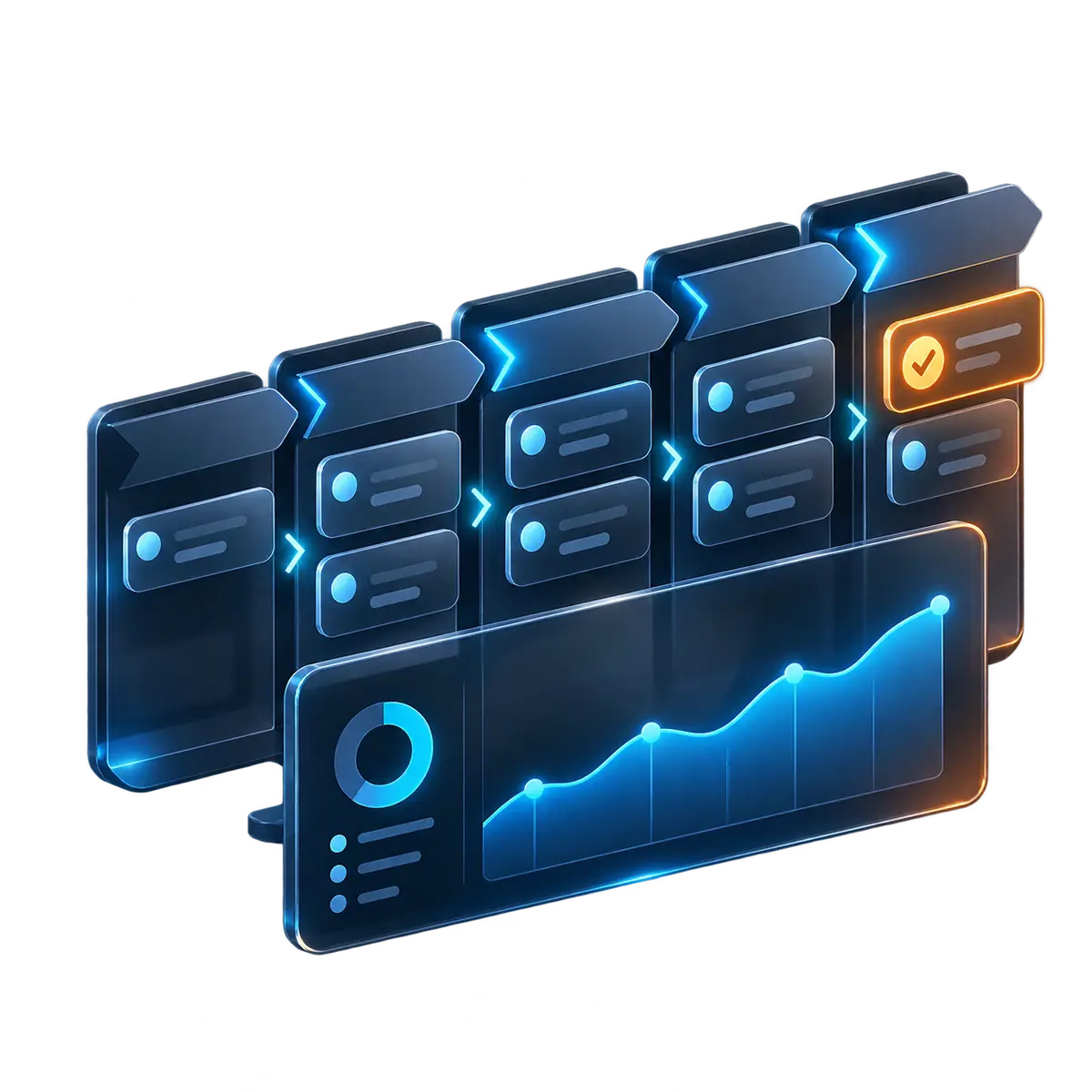
Opportunities carry the deal record: amount, close date, stage, products, contact roles and the activity history behind them. Kanban and list views let reps work the pipeline without running reports. It matters most when several people touch one deal, because contact roles and team selling show who is influencing the buyer and who owns the next move.
Collaborative Forecasting
Forecasts roll up from opportunity amounts through the role hierarchy or territories. Forecast categories stay separate from stages, so a late-stage deal can still be marked as a risk. Managers can adjust their team’s numbers without overwriting a rep’s call. It matters once leadership wants a weekly commit that can be traced back to individual deals.
Lead Assignment Rules
Assignment rules and queues decide which rep or team receives each new lead based on region, product interest, company size or source. Duplicate and matching rules catch returning prospects before they are handed to a second rep. Response speed on inbound demand depends on this plumbing, so it deserves design attention before any marketing campaign launches.
Enterprise Territory Management
Territory models assign accounts to territories by geography, industry, named-account list or any field combination, independent of the role hierarchy. You can build and preview a new model while the current one stays active. It becomes essential when coverage changes every fiscal year, accounts need overlay specialists, or forecasting must follow territories rather than managers.
Einstein Activity Capture
Activity capture syncs email and calendar events from connected Google or Microsoft mailboxes to the related contacts, accounts and opportunities, so reps stop logging meetings by hand. Salesforce is moving captured email into standard EmailMessage and Task records, which opens it to reports, Flow and agents. Plan that migration early, because Activity 360 reports and the Activities Dashboard retire in early 2027.
Sales Engagement Cadences
Cadences sequence calls, emails, texts and follow-up tasks into a prioritized work queue, branching on whether the prospect replied or answered. The same framework can hand early outreach steps to an Agentforce sales development agent while reps keep the later, higher-value touches. Cadences matter when prospecting quality varies widely between reps and managers want one repeatable playbook.
Is Salesforce Sales Cloud the right call?
Good fit
- Your sellers work complex B2B deals with multiple stakeholders, long cycles and a forecast that leadership reviews every week.
- Marketing, sales and service need to share one account record rather than reconciling separate systems at the end of each quarter.
- Sales coverage is organized by territory, segment or named accounts, and those assignments change as the business grows or reorganizes.
- You expect to add quoting, partner selling or AI agents later and want them built on the same underlying data model.
- Deals depend on ERP, billing or product usage data that reps need to see directly on the account or opportunity.
Think twice
- A very small team that only needs contacts and a simple pipeline can start on Free Suite or Starter Suite before committing to a larger edition.
- If the core problem is high-volume customer support rather than selling, Service Cloud should lead and sales features can follow later.
- Businesses selling directly to consumers online usually need Commerce Cloud and Marketing Cloud more than opportunity and forecast management.
- Where quoting complexity is the real bottleneck, evaluate Revenue Cloud, which Salesforce positions as the successor to Salesforce CPQ, alongside Sales Cloud itself.
The measures we track (5)
How a Salesforce Sales Cloud rollout comes together (5)
- 01
Define the sales stages
Before configuration, agree with sales leadership on each stage’s exit criteria, the forecast categories that map to them, and which fields are truly required at each step. This single conversation shapes validation rules, page layouts, path guidance and reporting, so it is worth finishing before an admin creates a single custom field.
- 02
Load clean account data
Deduplicate accounts and contacts in the source system, agree on a parent-child account hierarchy, and decide which historical opportunities are worth migrating. Closed deals older than your reporting horizon can often stay in an archive. Sequence the load as accounts, contacts and then owner-mapped opportunities to avoid orphaned records and reassignment work after go-live.
- 03
Connect email and calendar
Set up activity capture or the email integration early in testing so reps see real correspondence on their records during user acceptance. On a new org, confirm captured email lands as standard activity records so existing reports and flows can use it. Decide which mailboxes are included, what gets excluded, and how shared inboxes and executive assistants are handled.
- 04
Pilot with one team
Launch first with a single region or segment whose manager is committed to running pipeline reviews from Salesforce dashboards rather than spreadsheets. Their feedback on layouts, required fields and list views shapes the wider release. A manager who inspects deals in the system is the most effective adoption tool available to you.
- 05
Retire the old reports
Once forecasts come from Sales Cloud, stop circulating the spreadsheet versions, since a second set of numbers tells reps the system is optional. Schedule dashboard subscriptions for leaders and set a date when the legacy CRM becomes read-only. Review login and record update activity with managers during the first few forecast cycles.
Common Salesforce Sales Cloud mistakes (4)
- 01
Copying the old CRM field-for-field
Migrations often recreate every field, picklist and workaround from the legacy system, including the ones nobody used. The result is a new org with old clutter and page layouts reps still ignore. Treat migration as a chance to prune: keep what feeds a report or decision someone actually makes, and archive the rest outside Salesforce.
- 02
Using stages as forecast categories
When stage and forecast category mean the same thing, reps cannot flag a late-stage deal that has stalled without moving it backward, so forecasts become optimistic by design. Keep stages describing buyer progress and forecast categories describing the rep’s confidence, and train managers to challenge the gap between the two in every pipeline review.
- 03
Giving every seller the same page
A single opportunity layout for new-business reps, account managers, sales engineers and partner managers forces each group to scroll past fields meant for someone else. Record types, Dynamic Forms and role-specific Lightning pages let each group see what matters to their work, which reduces clicks and the temptation to skip required information.
- 04
Leaving automation in retired tools
Orgs that still depend on Workflow Rules or Process Builder are running automation whose support ended on December 31, 2025. Those rules keep firing but no longer receive bug fixes or help from Salesforce support. Inventory them, consolidate the logic into Flow with clear naming and documentation, and test the order of execution before any larger Sales Cloud change goes live.
Recent Salesforce Sales Cloud work (19)
More Salesforce Sales Cloud client work
- A commercial real-estate firm generated 200+ inbound leads in six weeks after a Sales Cloud + Account Engagement overhaulCommercial Real Estate
- An industrial-services firm rescued a failed $100K Field Service build and cut licensing for 75-100 field workersIndustrial Services
- A packaging-automation manufacturer replaced Outlook scheduling with Salesforce Field Service across 37 work typesManufacturing
- A scent-marketing manufacturer gave field techs territory-aware inventory on Salesforce mobileManufacturing
- A 50-year aircraft-engine MRO firm automated trade-show capture and nurture with Sales Cloud + Account EngagementAerospace & Manufacturing
- A cybersecurity company unified sales and support on Salesforce and migrated 2,300 accounts in 6-8 weeksCybersecurity
- A payments ISO replaced two legacy systems with a Sales, Service, and Experience Cloud platform for 60+ agentsFinancial Services / Payments
- A manufacturer took Salesforce from zero adoption to all 99 reps with NetSuite integrationManufacturing & Distribution
- An event-production company consolidated six tools into one custom Sales Cloud workflowMedia & Event Production
- A staffing firm fixed broken dashboards and activated Marketing Cloud it already ownedStaffing & Personnel
- A PE-backed compliance-software company migrated from HubSpot to Salesforce in 4-6 weeksFinancial Compliance (RegTech)
- A 28-year technology consultancy stood up Sales Cloud and Marketing Cloud for a growth relaunchTechnology Consulting
- A marketing firm migrated from Outreach to Salesforce Sales Engagement with zero disruptionMarketing & Advertising













Guides on Salesforce Sales Cloud (15)
- Sales Cloud Implementation Guide: Steps and ScopeSales Cloud · 8 min read
- Sales Cloud vs. Service Cloud: Which Do You Need?Sales Cloud · 6 min read
- Sales Cloud Pipeline Design: Stages, Routing, ForecastingSales Cloud · 5 min read
- Salesforce Mobile App for Field Sales Reps: Setup GuideSales Cloud · 9 min read
- Salesforce Web-to-Lead and Lead Capture GuideSales Cloud · 9 min read
- Salesforce Sales Engagement Cadences for SDR TeamsSales Cloud · 8 min read
- Salesforce Account Hierarchies: Parents and SubsidiariesSales Cloud · 8 min read
- Salesforce Pipeline Reviews That Change Deal OutcomesSales Cloud · 9 min read
- Salesforce Sales Commission Tracking: Data FirstSales Cloud · 8 min read
- Salesforce Products and Price Books Without CPQRevenue Cloud & CPQ · 8 min read
- Salesforce Lead Lifecycle: Statuses, MQL to SQL, RecyclingSales Cloud · 9 min read
- Salesforce vs. HubSpot: A Fair Comparison for B2BSales Cloud · 7 min read
- Salesforce vs. Microsoft Dynamics 365: A Fair ComparisonSales Cloud · 8 min read
- Sales Cloud vs. Pipedrive: An Honest ComparisonSales Cloud · 8 min read
- Why Is My Salesforce Forecast Wrong? How to Fix ItSales Cloud · 8 min read














Salesforce Sales Cloud questions (9)
What does a Sales Cloud implementation include?
Discovery with sales leadership and reps, the opportunity and account model, sales stages and forecasting, lead routing, automation, email and calendar integration, reports and dashboards, data migration and training. Anything that touches quoting, ERP or marketing is scoped as an integration.
How long does a Sales Cloud implementation take?
A focused setup can be quick: a technology-services firm went fully live within a 20-hour Jumpstart and scored 98% on a Salesforce health check. Larger orgs with migrations and integrations take weeks to months, and we give a timeline with the written scope.
Why do reps avoid Sales Cloud, and how do you fix it?
Usually because it asks for data entry and gives little back. We cut required fields, automate activity capture and give reps views that help them sell. A building-products manufacturer grew new accounts from 34 to 103 in a year once reps could see their own numbers.
Can you move us to Sales Cloud from HubSpot or another CRM?
Yes. A compliance-software company moved from HubSpot to Salesforce in 4–6 weeks, including marketing automation and MQL-to-SQL handoffs. See our Salesforce migration services.
Which Sales Cloud edition do we need?
It depends less on company size than on what the design requires. Territory models, forecasting options, API volume, sandbox capacity and included AI credits differ between Starter Suite, Pro Suite and the newer Core, Advanced and Max editions. During discovery we document the capabilities your sales process depends on and map each one to current packaging. We then review that list with you and your account executive before signing.
Should we turn on Agentforce for Sales from day one?
Usually not, even though Core and higher editions now include some Agentforce skills and credits. Sales AI needs reliable opportunity records, steady email and meeting capture and honest stage values, and without them summaries and recommendations simply reflect the mess. We typically stabilize the core pipeline first. Then we aim AI at one job, such as meeting preparation or lead qualification, and watch whether reps adopt it.
How do you handle account hierarchies and parent companies?
We agree on the rule for what counts as an account before loading any data: legal entity, buying location or brand. Parent account relationships then roll pipeline and activity up to the corporate level, while ownership and territory assignment can stay at the child level. For complex enterprise customers we often add account teams so several sellers share visibility and credit.
Can Sales Cloud track partner-sourced deals?
Yes. Opportunities can record partner involvement through partner fields or the standard partner relationship, and reporting can separate partner-sourced from partner-influenced revenue. If partners need to register deals or update opportunities themselves, Partner Relationship Management on Experience Cloud gives them a portal with controlled sharing. Each partner sees only its own records, and the channel team approves registrations inside Salesforce.
What should sales managers do differently after launch?
Run every pipeline review and one-on-one from Sales Cloud dashboards and opportunity lists, not exported spreadsheets. When a deal lacks a next step or a realistic close date, the conversation happens on the record itself. Managers who inspect in the system give reps a reason to keep it current; managers who ask for updates by email quietly undo the rollout.