
Most AI initiatives fail on data, not on models.
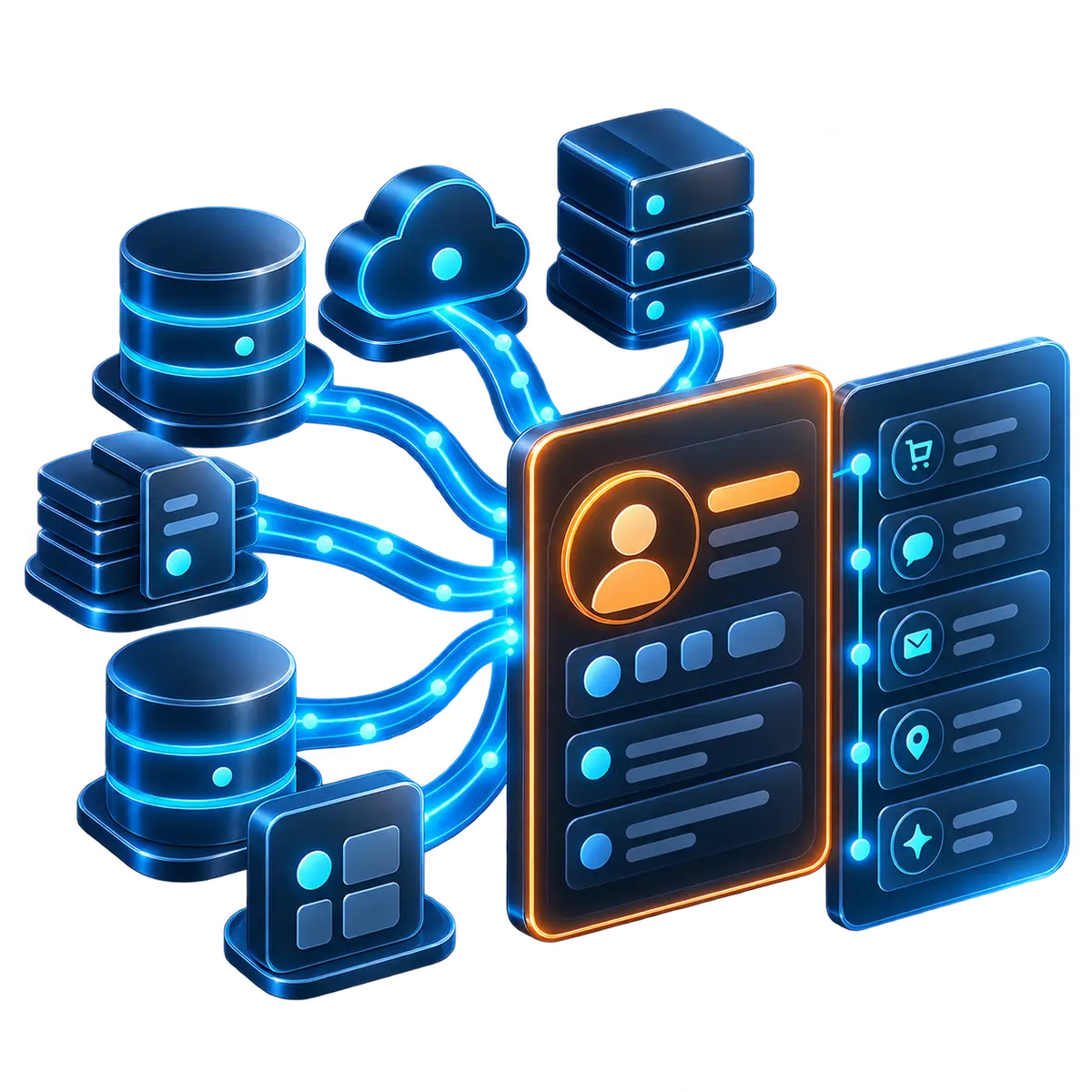
The uncomfortable truth behind most stalled AI and personalization projects is that the model was never the problem. The data was scattered across systems, the same customer existed five times under five slightly different names, and no one could assemble a single, current, trustworthy profile to act on. Data 360 (formerly Data Cloud) is Salesforce’s answer to that, a real-time platform that turns scattered customer data into one actionable profile, and it is the foundation we put in before the AI on top can be trusted.
- 01
What we actually do
We build the Data 360 (formerly Data Cloud) foundation end to end: ingestion and harmonization across Salesforce and external systems, identity resolution that collapses the duplicates into a real person or account, calculated insights, and segmentation and activation that push that unified profile back out to where it does work. The point is not a tidy data lake. It is a profile that Agentforce, Einstein, marketing, and service can all act on and actually believe.
- 02
Where Data 360 projects go wrong
The usual failures: treating Data 360 (formerly Data Cloud) as a storage project instead of an activation one, identity resolution rules that either merge too aggressively or not enough, and a unified profile that is built once and then drifts because no one owns the data quality behind it. We design ingestion, identity, and activation around the decisions the data will drive, and we put the governance in place to keep the profile trustworthy after launch.
- 03
Why Abstrakt Solutions
Data and governance have been core to our Salesforce delivery since 2017, with 138 certifications across Salesforce, Claude and Gong and a 4.95 out of 5 rating from 92 Salesforce AgentExchange (formerly AppExchange) reviews. We fix the data foundation first, because we have watched too many AI and personalization initiatives fail on it, and because a unified, trustworthy profile is what makes everything built on top of it actually work.
How we help with Salesforce Data 360 (Data Cloud) (5)
The engagements we run most often on Salesforce Data 360 (Data Cloud), from first implementation through optimization.
Data Ingestion & Harmonization
Connect Salesforce, ERP, marketing, web, and product data into the Data 360 (formerly Data Cloud) model with the right streams and mappings.
Identity Resolution
Match and unify records into a single source-of-truth customer profile across systems and channels.
Calculated Insights & Segmentation
Build metrics, audiences, and segments that update in real time and drive downstream action.
Activation
Push unified segments and profiles to Marketing Cloud, Sales/Service Cloud, ads, and external platforms.
AI Data Foundation
Ground Agentforce and Einstein in clean, governed Data 360 (formerly Data Cloud) data so AI answers are accurate and auditable.
What Salesforce Data 360 (Data Cloud) actually includes (6)
Zero Copy data federation
Zero Copy federation queries data where it already lives in a supported warehouse or lakehouse instead of copying it into Salesforce. That matters when a data team has spent years curating tables and does not want a second pipeline to maintain. It also helps when governance rules say certain records should never leave the analytics environment.
Data Spaces
Data Spaces are logical partitions inside one Data 360 instance that separate data, segments and permissions by brand, region or business unit. Organizations with several brands or strict regional privacy obligations use them to keep each team’s audiences and profiles apart. Everyone still shares the same underlying platform and administration.
Data Graphs
Data Graphs are precomputed, denormalized views that bundle a profile with its related records, such as recent orders, open cases and engagement events. They matter most for AI and real-time use cases. An agent or a personalization decision can read one prepared structure quickly instead of joining many objects while a customer waits.
Search indexes for unstructured content
Data 360 chunks documents, transcripts, emails and knowledge content into vector or hybrid search indexes, so retrieval works by meaning as well as keywords. Retrievers built on those indexes ground prompt templates and Agentforce answers in manuals or product documentation. The source passage stays available, so reviewers can check exactly where an answer came from.
Data Actions
Data Actions are event-driven triggers that fire when data changes in ways you care about, such as a profile crossing a value threshold or a falling engagement score. They can launch a flow, call a webhook or notify another system. The platform then prompts the next step on its own instead of waiting to be queried.
Streaming Insights
Streaming Insights are metrics calculated continuously over incoming event data, such as page views in the last few minutes or repeated failed logins. They suit time-sensitive decisions like abandoned browse recovery or fraud alerts. A nightly batch calculation would arrive long after the moment to act, when the customer has already left.
Is Salesforce Data 360 (Data Cloud) the right call?
Good fit
- The same customer appears in commerce, support, marketing and product systems under different identifiers, and nobody trusts any single view of them.
- You want Agentforce agents to answer from order history, usage data or documents that sit outside the standard Sales Cloud and Service Cloud objects.
- Marketing needs audiences built from behavioral and transactional data, refreshed often enough that offers reflect what customers did recently.
- Your data team already runs a warehouse and wants Salesforce to use that data without building and maintaining another copy of it.
- Several brands or regions share Salesforce but must keep their customer data and audiences separate for privacy or commercial reasons.
Think twice
- All the customer data you need already lives in Sales Cloud or Service Cloud, where standard reports and flows can act on it directly.
- The goal is executive dashboards over historical data; Tableau or CRM Analytics connected to your warehouse may answer that more directly.
- You only need to move records between two systems on a schedule, which MuleSoft or a simpler integration handles without identity resolution.
- There is no named owner for data quality, because unifying records in Data 360 amplifies bad source data rather than fixing it, and profiles will drift.
The measures we track (3)
How a Salesforce Data 360 (Data Cloud) rollout comes together (5)
- 01
Pick one activation target
Name the single decision the first release will change, such as a suppression list, a service agent’s context panel or an agent’s grounding source. Working backward from that output shows which sources, fields and match rules are truly needed. It also keeps the first release focused rather than an attempt to ingest the whole enterprise.
- 02
Profile the source data
Before mapping anything, examine completeness, formats and duplication in each candidate source. Look for shared email addresses, placeholder phone numbers and inconsistent country codes, since these drive false merges later. The findings shape match rules and cleansing transformations, and they often reveal that one source should be fixed upstream before it is connected.
- 03
Map to the data model
Map each stream to standard data model objects wherever possible, adding custom objects only where the standard ones genuinely do not fit. Consistent mapping is what lets segments, insights and agents work across sources. Document every mapping decision, because future teams connecting new sources will need to follow the same conventions.
- 04
Tune identity resolution
Start with conservative match rules, review sample unified profiles with business users and loosen rules only where evidence supports it. Record which rules merged which records so errors can be traced. Reconciliation rules, which decide the winning value when sources disagree, deserve the same review, since they determine what every downstream consumer actually sees.
- 05
Monitor consumption and quality
Once live, watch credit consumption by feature in Digital Wallet alongside data freshness and profile counts. Segments that refresh more often than needed, or queries run by curious users, can consume more than expected. Pair that monitoring with data quality checks on key sources so unified profiles stay trustworthy as systems and teams change.
Common Salesforce Data 360 (Data Cloud) mistakes (4)
- 01
Ingesting everything before choosing outcomes
Connecting every available source feels like progress, but it multiplies mapping work, raises consumption and delays anything useful. Teams end up with a large unified dataset and no agreed use for it. Starting from one decision the data must support keeps scope honest and gives stakeholders something concrete to judge within the first release.
- 02
Merging on weak identifiers
Household emails, shared business phone numbers and default values like test addresses can collapse different people into one profile. Once marketing or an agent acts on a false merge, customers see someone else’s history. Exclude known shared values from match rules and review merge samples regularly, not only during the initial build.
- 03
Ignoring consent at ingestion
Consent and communication preferences need to arrive with the data from the start, not be layered on at activation. When a source system’s opt-outs are left unmapped, segments may reach people who already declined contact. Map consent objects in the first release and test suppression with real opt-out records before any activation goes live.
- 04
No owner after go-live
Source systems change fields, add values and retire feeds without warning. Without a named platform owner watching stream errors, mapping drift and consumption, profiles degrade quietly and downstream teams lose confidence. Assign ownership, a runbook and a regular review before launch, the same way you would for any other production system.
Recent Salesforce Data 360 (Data Cloud) work (3)
Guides on Salesforce Data 360 (Data Cloud) (7)
- Data 360 (Data Cloud) Implementation: Timeline and CostData 360 · 8 min read
- Data 360 (Data Cloud) Readiness ChecklistData 360 · 7 min read
- Data 360 (Data Cloud) Use Cases: Where to StartData 360 · 6 min read
- Salesforce Data Cloud: When You Need It, and When Not YetData 360 · 5 min read
- What Is Tableau Next? A Buyer's Guide (2026)Data 360 · 6 min read
- Salesforce and Snowflake Zero-Copy with Data 360Data 360 · 6 min read
- Salesforce for Retail and Consumer GoodsIndustry Guides · 9 min read







Salesforce Data 360 (Data Cloud) questions (9)
What is Salesforce Data 360 used for?
Bringing customer data from Salesforce and other systems into unified profiles that can drive segmentation, analytics, personalization and AI. It is most useful when the same customer lives in several systems.
Do we need Data 360 for Agentforce?
Not always, but agents are only as good as the data they can reach. Data 360 (formerly Data Cloud) helps when agents need information that lives outside core Salesforce objects.
Where should a Data 360 project start?
With a use case and an architecture, not with ingesting everything. For a business lender triaging 24,000 leads a month we delivered a Data 360 (formerly Data Cloud) architecture, a phased plan covering 10 TB of data and a working lead-prioritization framework.
How long does Data 360 take to show value?
A focused first use case with a small number of sources can show value in weeks; broader unification is phased. We define the first measurable outcome in the scope.
Is Data Cloud the same thing as Data 360?
Yes. Salesforce renamed Data Cloud to Data 360 at Dreamforce in October 2025, and both names still appear in documentation, contracts and admin screens. Ingestion, identity resolution, segmentation and activation work the same way, because the change was a rename rather than a new product. If your contract or an older proposal says Data Cloud, it refers to what Salesforce now markets as Data 360, so planning and design work carries forward.
Does Data 360 replace our data warehouse?
Generally not. A warehouse remains the right place for historical analysis, finance reporting and data science work. Data 360 is built for acting on customer data inside Salesforce: unifying profiles, building audiences and grounding AI. Zero copy federation lets the two share data in both directions. Many organizations keep the warehouse as the analytical source and use Data 360 as the activation layer.
How is customer consent handled across sources?
Consent records from each source are ingested and mapped to standard consent objects, then evaluated when segments are built and activated. The design question is which source wins when two disagree and how quickly an opt-out must propagate. We recommend treating the most recent explicit choice as authoritative and testing suppression end to end before any campaign or agent uses the data.
Can Data 360 work with data from non-Salesforce applications?
Yes. It ingests from cloud storage, databases, web and mobile SDKs, APIs and prebuilt connectors, and MuleSoft can bring in systems without a native connector. The practical limits are data quality and update frequency rather than connectivity. We assess each source for how reliably it identifies customers and how fresh its data needs to be before deciding how to connect it.
What should our internal team own once Data 360 is live?
Name a platform owner to watch data streams, consumption and errors, plus a data steward who reviews merges and profile accuracy. Give every segment and insight its own business owner. Marketing, service and AI teams consume the output, but someone has to own the inputs. Without those roles, unified profiles decay as source systems change. Writing responsibilities into a simple runbook before launch makes handoffs far easier.