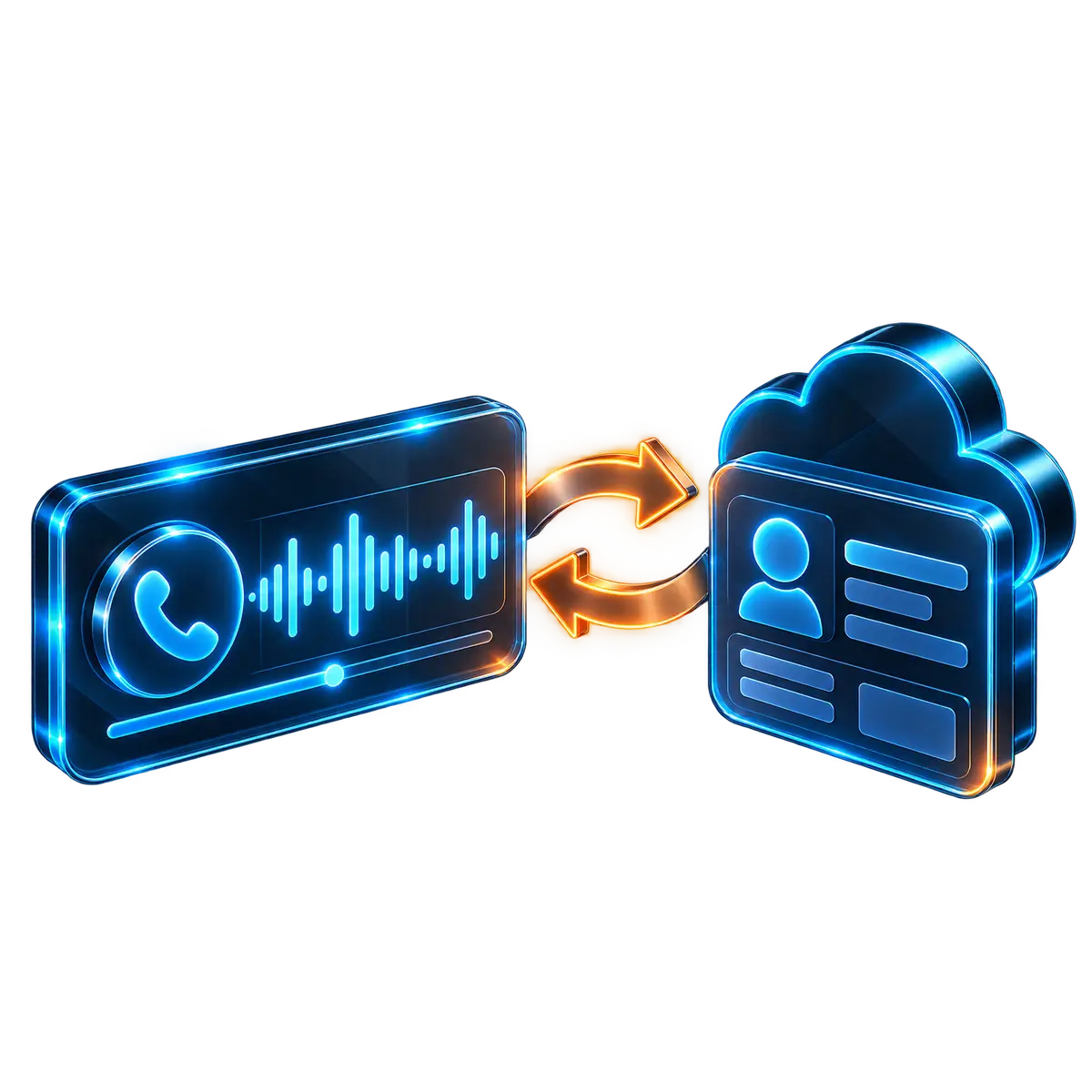
Gong is most valuable when it is not a separate tool.
The Gong and Salesforce connection moves data in both directions, and each direction has its own settings. Into Gong come accounts, contacts, leads, opportunities and users, with the standard and custom fields you choose, so conversations can be searched, filtered and attached to deals. Out of Gong go calls, meetings, emails and Engage activity, written to Salesforce as tasks or events, and, if you install the Gong for Salesforce package, a Gong Conversation record with child records for participants, trackers, topics and interaction stats. On top of that, reps can edit opportunity fields from Gong deal boards, and those edits pass through each person's own Salesforce permissions and validation rules.
- 01
Association decides whether anyone trusts Gong
Most complaints about Gong turn out to be association problems. Gong's default logic matches participants to contacts by email or phone, falls back to the account whose website domain matches the email domain, and then prefers open deals owned by someone on the call. That works well for simple account structures and poorly for companies with parent and child accounts, several open opportunities per account, partner-led deals or shared email domains. Gong's AI Activity Mapper settings let admins change all of this: extra email fields, account and deal filters, owner and contact-role requirements, tie-breakers and limits. Getting those rules right is the core of the integration work.
- 02
One owner for every activity type
Activity duplication is the other common failure. Gong, Einstein Activity Capture, a dialer and an older sales engagement tool can all write a task for the same meeting or email. Gong itself warns that exporting all telephony calls can create duplicates when another app already logs dialer calls, and that its built-in Create Event flow will duplicate events if events export is also switched on. We map every activity type to exactly one system of record before export is enabled, then check the CRM export status report to confirm nothing is failing silently.
- 03
Why Abstrakt Solutions
We run both sides. Our Salesforce team builds the permission sets, page layouts, flows and validation rules; our Gong team configures import, association and export. That avoids the usual gap where a Gong admin asks a busy Salesforce admin for access and nobody owns the result. We document the integration user's access, the field map and the association rules so your admins can maintain them, and we test changes in a Salesforce sandbox connected to a Gong sandbox before production.
How we help with Gong + Salesforce Integration (6)
The engagements we run most often on Gong + Salesforce Integration, from first implementation through optimization.
Integration user and access design
A dedicated Salesforce user with API access, the right license, a Gong permission set, read access to the objects Gong imports, write access to tasks and events where needed, and visibility through roles and sharing so Gong sees every opportunity it should.
Field import and data mapping
The fields Gong imports per object, kept under Gong's recommended 50 per object, custom objects where they help, field history for stage and amount, the deal amount field, multi-currency conversion and opportunity teams and splits.
Activity association rules
Contact, account and deal matching rules in AI Activity Mapper, tested with Gong's simulation tool against your hardest account structures, then applied with an optional 30-day reassociation.
Task, event and conversation export
A decision on tasks versus events for meetings, one record per activity or one per contact, task types, custom fields, the Gong for Salesforce package, page layouts, the embedded player and the package's built-in flows.
Engage and deal board write-back
Flow status picklists activated on Lead, Contact, Task and Event, custom flow fields, Notes sync, a Salesforce flow that updates lead status from Engage, and deal board edit rights that respect validation rules.
Migration onto Gong
Recorded call history from a previous recorder loaded through Gong's call upload API with metadata, and Outreach or Salesloft templates and sequences moved through Gong's migration service, with a review of what did not translate.
What Gong + Salesforce Integration actually includes (6)
Integration user requirements
Gong needs Salesforce API access and an integration user with either a standard Salesforce license or the Salesforce Integration license. Gong recommends a dedicated user and a Gong permission set, because Gong sees exactly what that user can see. Writing tasks and events needs Access Activities, Edit Tasks, Edit Events and View All Users. If task access is controlled by parent, the user needs broad edit rights on accounts, contacts, leads and opportunities.
What Gong imports
Gong imports accounts, contacts, leads, opportunities and users, plus up to ten custom objects that reference an account, opportunity, user or territory. Admins choose fields on the Data import tab; required fields cannot be removed, and deselecting a field deletes its data in Gong. Field history can be imported where Salesforce field history tracking is on. Multi-select picklists, address, location and encrypted fields are not supported.
Sync timing
Gong's published sync times say new and updated Salesforce records reach Gong within about six minutes, and newly added fields within two hours. Web conference calls export to Salesforce within roughly 15 minutes of processing, Engage flow data within minutes, and deal board edits immediately. Initial imports and exports can take up to 24 hours, and very large bursts of Salesforce updates can slow sync to a couple of hours.
Configurable activity association
On Gong Foundation, AI Activity Mapper rules run in three stages: contacts and leads, then accounts, then deals. Each stage has filters, owner or contact-role conditions set to off, optional or mandatory, and tie-breakers such as number of contacts or the most recent date. Gong associates up to ten accounts and twenty deals per activity, can reassociate the last 30 days when rules change, and offers a simulation tool to test rules first.
Tasks, events and the Gong Conversation object
Meetings, conference calls and telephony calls can export as tasks or events; emails, Engage tasks and LinkedIn steps export as tasks only, and transcripts are never exported. The Gong for Salesforce package, which Gong supports on Salesforce Enterprise edition but not Professional, adds a Gong Conversation object with child records, a highlights and transcript canvas, a folder of ready-made Gong reports and inactive template flows that create contacts, contact roles, competitor values and events.
Write-back from deal boards and Engage
Deal board edits sync to Salesforce through each user's own connection, so field permissions and validation rules apply and a rejected value reverts. Multi-select picklists, reference fields and custom-object fields cannot be edited from boards. Engage writes flow statuses and custom flow fields one way to Salesforce, and Notes sync needs Salesforce Notes enabled, which is separate from Notes and Attachments.
Is Gong + Salesforce Integration the right call?
Good fit
- Your accounts have parent and child structures, partner-led deals or several open opportunities at once, and Gong's default association keeps choosing the wrong one.
- Activity counts in Salesforce look inflated because Gong, a dialer and another tool all log the same meetings and emails.
- Managers want Gong evidence, such as briefs, next steps and tracker hits, on the opportunity record where pipeline reviews happen.
- You are adding Gong Engage and need flow statuses, custom flow fields and lead status updates to land in Salesforce reliably.
- You are moving to Gong from another call recorder or from Outreach or Salesloft, and want history and content carried over with a clear list of gaps.
Think twice
- Your org runs Salesforce Professional edition and cannot install the Gong for Salesforce package; task export may still work, but the package will not.
- Contacts routinely lack email addresses and account websites are empty; association depends on them, so a data clean-up should come first.
- Gong connects to HubSpot or Dynamics rather than Salesforce; the principles carry over, but this page describes the Salesforce integration.
- Nobody will own the integration user, field map and association exceptions after launch.
Choices to settle before the build (5)
Tasks or events for meetings
Events carry start and end times; tasks carry status and call outcome. Gong recommends events for meetings and conference calls, and both must use the same object. If your activity reports are built on tasks today, switching is a reporting project, not a checkbox.
One activity record or one per contact
One record per activity keeps timelines tidy, with other participants, accounts and opportunities listed in custom fields. One record per contact, account and opportunity shows the activity everywhere but multiplies records. The choice applies only going forward, so make it before export starts.
Install the managed package or not
The package gives you the Gong Conversation object, reports, the transcript canvas and template flows, but each exported conversation creates dozens of small child records and needs Enterprise edition. Teams that only need activity history can export tasks without it.
Which system owns each activity type
Decide per type: meetings, conference calls, dialer calls, inbound and outbound emails, and sequence steps. Turn off the overlap in Einstein Activity Capture, your dialer or your old engagement tool before Gong export goes live.
How strict deal association should be
Requiring the deal owner on the call avoids attaching a support call to a new-business opportunity, but leaves calls unassociated when the owner was absent. Requiring a contact role is stricter still. We test each option against a sample of your real calls before choosing.
The measures we track (3)
How a Gong + Salesforce Integration rollout comes together (5)
- 01
Audit Salesforce data and access
We check contact email and phone coverage, account websites, duplicate accounts, parent account use, opportunity ownership, open-deal counts per account and forecast fields, and list which teams already log activities from other tools.
- 02
Build the integration user
We create the integration user with API access, a Gong permission set, object and field access, task record types if you use them, and role or sharing settings that reach every opportunity Gong should see, then approve Gong's connected apps for that user.
- 03
Connect, import and associate
We connect Gong as the integration user, choose fields per object, set the deal amount field and currency handling, then configure and simulate association rules before turning them on.
- 04
Configure export and the package
We set tasks or events, record granularity, task types and the update period, install the Gong for Salesforce package if chosen, assign permission sets, update page layouts and decide which template flows to activate.
- 05
Monitor and hand over
For the first weeks we review the activity association and CRM export status reports, trace recurring failures to their cause and fix them at the source, then hand your admins the field map, rules and a monitoring checklist.
How a Gong + Salesforce Integration engagement runs (5)
An illustration of the usual shape. Your plan, dates and scope are set in writing after discovery.
- 01
Phase 1: audit and design
Data and access audit, activity ownership map and an integration design covering import, association, export and write-back. You approve the design before anything connects.
- 02
Phase 2: sandbox build
A Gong sandbox, requested through Gong, connected to a Salesforce sandbox. Integration user, package, layouts, flows and field map built and tested with sample calls and emails.
- 03
Phase 3: production connection
Production integration user and package, field import, association rules simulated and enabled, export switched on for a pilot team. Gong connects to one Salesforce instance at a time, so the cutover is scheduled.
- 04
Phase 4: Engage and migration
Flow status picklists, custom flow fields and lead status flow if Engage is in scope; call history upload and Outreach or Salesloft content migration if you are switching tools.
- 05
Phase 5: monitoring and handover
Weekly report reviews during the pilot, fixes logged, export extended to remaining teams, and the documentation handed to your admins.
Common Gong + Salesforce Integration mistakes (6)
- 01
Connecting with a person's own login
If the connection runs under someone's personal Salesforce user, deactivating that person disconnects the integration. Their broad access also hides permission gaps that appear later. Use a dedicated integration user from day one.
- 02
An integration user who cannot see every deal
Gong only sees records the integration user can see. A restrictive role or sharing model quietly hides opportunities, so calls stay unassociated and forecast totals fall short of Salesforce reports.
- 03
Running the event flow and events export together
The package's Create Event from Gong Conversation flow and Gong's own events export both create events. With both on, every meeting appears twice. Pick one.
- 04
Forgetting that deletion travels
Deleting a call in Gong, including through a retention policy, deletes the related record in Salesforce. Align Gong retention with your records policy before relying on Salesforce as an archive of Gong activity.
- 05
Leaving flow status values inactive
Engage flow status values arrive in Salesforce picklists as inactive. Until someone activates them on Lead, Contact, Task and Event, statuses do not show and reports built on them are empty.
- 06
Exporting every telephony call twice
Gong can export all imported telephony calls or only calls made through the Gong Dialer. If your dialer already logs its own calls to Salesforce, choosing all calls creates a second task for each one. Match the setting to whichever system owns dialer activity.
Guides on Gong + Salesforce Integration (14)
- Chorus to Gong Migration: What Moves and How to Cut OverRevenue Operations
- Gong vs HubSpot Conversation IntelligenceRevenue Operations
- Gong with Microsoft Teams and Zoom: How It WorksRevenue Operations
- Gong Technical Admin vs Business Admin: Who Owns Gong?Revenue Operations
- Gong vs Jiminny: Which One Fits Your Sales Team?Revenue Operations
- Gong vs. Clari vs. Chorus: 2026 ComparisonRevenue Operations · 7 min read
- Gong Security, Recording Consent and ComplianceRevenue Operations · 7 min read
- Gong Engage vs. Outreach vs. SalesloftRevenue Operations · 7 min read
- How to Prepare for Your Gong RenewalRevenue Operations · 7 min read
- Gong and HubSpot: How the Integration WorksRevenue Operations · 7 min read
- Gong vs. Salesforce Revenue IntelligenceRevenue Operations · 7 min read
- Beyond call recording: getting real ROI from GongRevenue Operations · 5 min read
- The Gong Implementation PlaybookGuide · 4 min read
- The RevOps Tech Stack: A Buyer's GuideGuide · 6 min read

Gong + Salesforce Integration questions (16)
Does Gong integrate with Salesforce, and how does it work?
Yes. Gong connects to Salesforce through a dedicated integration user, imports accounts, contacts, leads, opportunities and users, and attaches each call and email to the right account and deal. It writes meetings and calls back as tasks or events, and the free Gong for Salesforce package adds a Gong Conversation record on the opportunity. Reps can edit opportunity fields from deal boards, with Salesforce permissions and validation rules still applied.
Should we install the Gong for Salesforce managed package?
Install it if managers want Gong evidence on the opportunity record, and skip it if you only need activity history. The package adds a Gong Conversation object, ready-made reports, a transcript view and template flows. It needs Salesforce Enterprise edition, not Professional, and each exported conversation creates dozens of small child records, so check data storage. Teams that only want calls logged can export tasks or events without it.
What permissions does the Gong Salesforce integration user need?
The integration user needs Salesforce API access and either a standard Salesforce license or the Salesforce Integration license, plus a Gong permission set. To write tasks and events it needs Access Activities, Edit Tasks, Edit Events and View All Users. Gong sees exactly what this user can see, so its role and sharing settings must reach every opportunity Gong should associate calls with. Use a dedicated user, never a person's own login.
Why are our Gong calls not showing up in Salesforce?
Usually because the integration user cannot see the opportunity, the call was not associated with a deal, or export failed. Check whether the integration user's role and sharing reach that record, whether participants match contacts with email addresses, and whether association rules require the deal owner on the call. Gong's activity association and CRM export status reports show which calls failed and why. Allow about 15 minutes after processing.
Should Gong or Einstein Activity Capture log our sales activities?
Pick one owner for each activity type, because running both logs the same meetings and emails twice. Decide separately for meetings, conference calls, dialer calls, inbound and outbound emails and sequence steps, then turn off the overlap in Einstein Activity Capture, your dialer or your old engagement tool before Gong export goes live. Otherwise activity counts in Salesforce look inflated and reports stop meaning anything.
What carries over when we move from Chorus to Gong?
Recordings carry over within limits; plan for gaps. Gong's migration service for third-party call recordings covers up to six months of calls, only web conference recordings, not audio-only files. Calls attach to Salesforce accounts and opportunities when the old system linked them, and to users whose email matches in both systems; participants are not identified. Start at least 30 days before your old system's access ends.
Is Gong on the Salesforce AppExchange?
Yes. The Gong for Salesforce managed package is installed from Gong's AppExchange listing into production or a sandbox, and there is no charge to install it. It needs Salesforce Enterprise edition, spare data storage and three free custom fields, two on Opportunity and one on Account. Teams that sign into Gong through Salesforce also install a separate Gong external client app package.
Should we choose Abstrakt Solutions or Deloitte to fix our Gong and Salesforce sync?
Both are capable firms, and the better choice depends on the job. Deloitte is a natural fit when the sync is one part of a large, multi-workstream transformation. Abstrakt Solutions is a strong fit when the Gong and Salesforce connection is the problem to solve, such as activity that is missing, duplicated or landing on the wrong records, and you want one team to own the fix across both systems. We hold 22 Gong certifications and work in both platforms every day. See our Gong practice.
Which Salesforce objects does Gong sync?
Gong imports accounts, contacts, leads, opportunities and users, plus opportunity history, field history where tracked, opportunity teams and splits if enabled, and up to ten custom objects. It writes tasks or events, and with the managed package a Gong Conversation record and its child records. Deal board edits update opportunity and account fields.
How does Gong decide which opportunity a call belongs to?
By default it matches participants to contacts by email or phone, finds their account, then looks at open opportunities and prefers those owned by someone on the call. Admins can change this in AI Activity Mapper with filters, owner or contact-role requirements and tie-breakers. Reps can also associate a call by hand, which overrides the automatic choice for that activity.
Does Gong export call transcripts to Salesforce?
No. Gong's export settings list transcripts as not exported. Tasks carry a recording link, the call brief, key points and next steps in their comments, and the managed package adds a transcript view on the Gong Conversation record that reads from Gong.
Can a rep change a Salesforce field in Gong that they cannot change in Salesforce?
No. Deal board edits use each person's own Salesforce connection, so their field permissions and your validation rules apply. If Salesforce rejects the value, the cell turns red and reverts.
Can we test the integration in a sandbox first?
Yes. Gong offers an empty sandbox on request through your Revenue Architect, and it must connect to a Salesforce sandbox. Only one Gong for Salesforce instance is connected at a time, so we plan the move from sandbox to production as a scheduled cutover.
Can you move our call history from another recorder into Gong?
Usually, if you can export the recordings and their metadata. Gong's API accepts a call record with a link to the media file, and uses a unique ID to avoid loading the same call twice. Calls under a minute are not processed, and there is no completion callback, so we reconcile counts afterward. Sequence and template content from Outreach or Salesloft moves through Gong's own paid migration service.
Can Agentforce use Gong data?
Gong documents a connection from Salesforce Agentforce to the Gong MCP server, which exposes read-only tools for asking about accounts and deals and generating briefs. Each user's Gong and Salesforce emails must match. It is a separate project from the core integration, and we scope it once the basics are stable.
What tools does Gong integrate with besides Salesforce?
Gong also integrates natively with HubSpot and Microsoft Dynamics, though it connects to only one CRM at a time; other CRMs can load data through Gong's CRM API, import only and without Engage. For user management, Gong provisions team members over SCIM from Microsoft Entra ID, Okta, OneLogin, Rippling or Salesforce, or from a custom SCIM source. For analytics, Gong Data Cloud exports Gong data once a day to Snowflake, BigQuery, Databricks, Amazon S3 or Redshift. This page covers Salesforce; the CRM choice and these integrations are scoped during discovery.
Sources (27)
Product details on this page come from these sources, checked October 27, 2026. Vendors update products often; confirm current terms for your contract.
- help.gong.io/docs/key-features
- help.gong.io/docs/set-up-requirements
- help.gong.io/docs/salesforce-fields-the-integration-user-needs-access-to
- help.gong.io/docs/connect-gong-to-salesforce
- help.gong.io/docs/configure-data-import
- help.gong.io/docs/set-import-of-salesforce-fields
- help.gong.io/docs/gong-crm-data-sync-times
- help.gong.io/docs/default-crm-entity-association
- help.gong.io/docs/configure-crm-entity-association
- help.gong.io/docs/manual-association
- help.gong.io/docs/export-data-as-salesforce-tasks-or-events
- help.gong.io/docs/configure-salesforce-tasks-or-events
- help.gong.io/docs/install-gong-for-salesforce
- help.gong.io/docs/data-model-structure
- help.gong.io/docs/reports-in-salesforce
- help.gong.io/docs/built-in-flows-to-enrich-your-gong-data-in-salesforce
- help.gong.io/docs/crm-and-deal-board-sync-faqs
- help.gong.io/docs/configure-engage-crm-settings
- help.gong.io/docs/flow-statuses-in-your-crm
- help.gong.io/docs/faqs-sandbox
- help.gong.io/docs/faqs-for-salesforce-integration
- help.gong.io/docs/crm-export-status-report
- help.gong.io/docs/uploading-calls-from-a-non-integrated-telephony-system
- help.gong.io/docs/migrating-from-outreach-1
- help.gong.io/docs/migrating-from-salesloft-1
- help.gong.io/docs/connect-salesforce-agentforce-to-the-gong-mcp-server
- gong.io/platform/revenue-graph