What Salesforce Sales Cloud is, and who this guide is for
Before you download
Sales Cloud is where deals, accounts and forecasts live for most Salesforce customers, and it is the product the other clouds usually plug into later. Buying it is rarely the hard part. What decides the outcome is agreeing how your team sells before anyone configures a field, then getting managers to run the business from it.
This guide is written for sales leaders, revenue operations and whoever will own the project. It explains pipeline management, collaborative forecasting, lead routing, territories, activity capture and cadences in plain terms, shows how different industries put them to work, and lays out a five-step rollout along with the traps we see most often.
Get the free Salesforce Sales Cloud guide
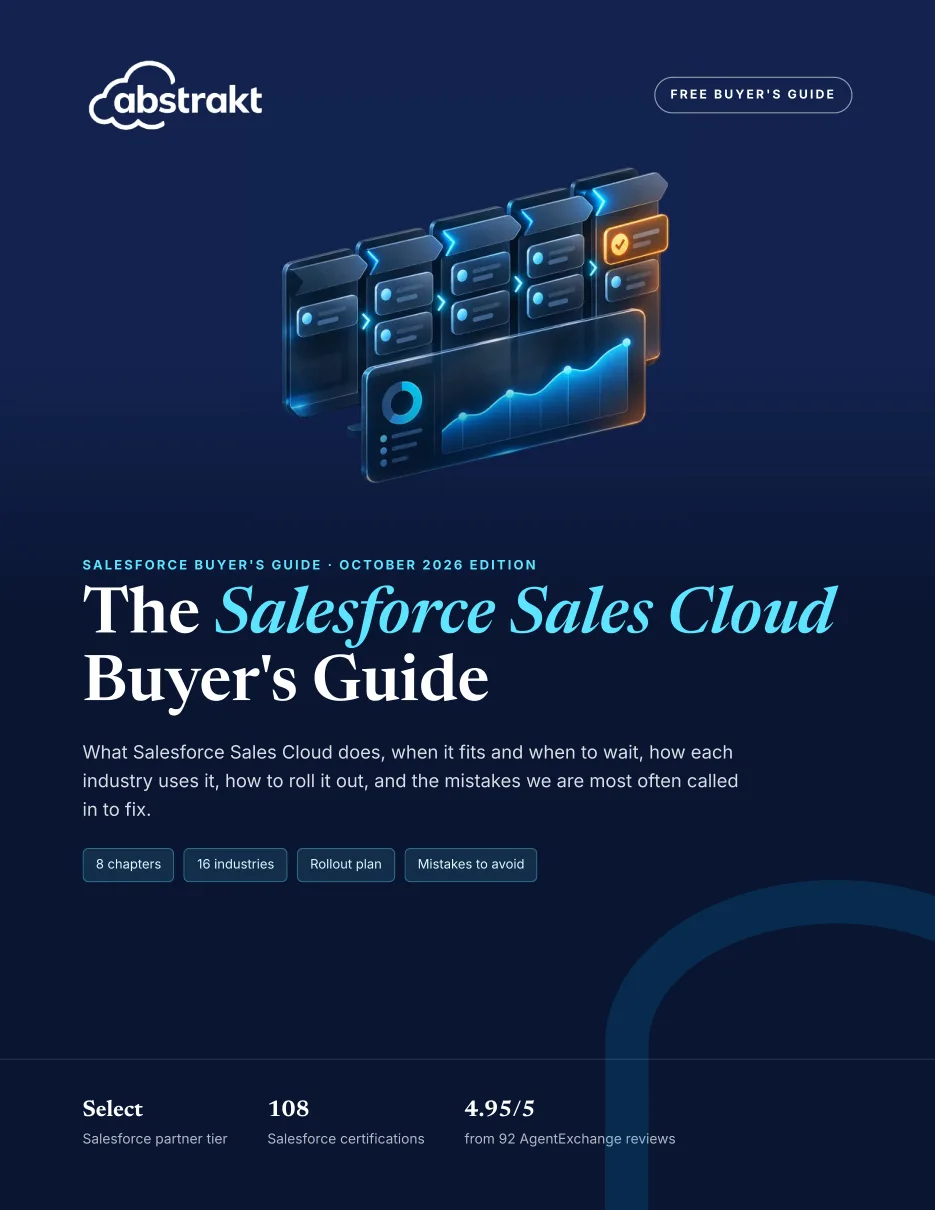
- 28 pages
- 8 chapters
- Free PDF
What's inside the Salesforce Sales Cloud guide (8)
- 01
What Salesforce Sales Cloud does
Opportunity Pipeline Management, Collaborative Forecasting, Lead Assignment Rules, Enterprise Territory Management, Einstein Activity Capture and Sales Engagement Cadences.
- 02
When Salesforce Sales Cloud fits, and when to wait
5 signs Salesforce Sales Cloud fits and 4 reasons to wait or choose something else.
- 03
Salesforce Sales Cloud by industry
Legal, Professional Services, agriculture, Construction, Manufacturing and 11 more.
- 04
How to roll it out
Define the sales stages → Load clean account data → Connect email and calendar → Pilot with one team → Retire the old reports.
- 05
Mistakes to avoid
4 mistakes, from “Copying the old CRM field-for-field” to “Using stages as forecast categories”.
- 06
Questions buyers ask
3 questions, starting with “How do you handle account hierarchies and parent companies?”
- 07
Results from our projects
6 Salesforce Sales Cloud projects, summarized.
- 08
Next steps
Free assessments and how to reach a Salesforce Sales Cloud consultant.
Worksheets you keep (4)
Fit scorecard
9 statements to tick, showing whether Salesforce Sales Cloud fits your team now or later.
Decisions worksheet
4 Salesforce Sales Cloud decisions with room for your answer and an owner.
Partner interview scorecard
5 questions to rate up to three Salesforce Sales Cloud partners side by side.
30-day plan
Four weeks from reading the Salesforce Sales Cloud guide to a written scope.
When Salesforce Sales Cloud fits, and when to wait (7)
Good signs
- Deals involve several buyers, run for weeks or months, and leadership reviews a forecast every week.
- Marketing, sales and service keep separate customer lists that someone reconciles by hand each quarter.
- Territories or named-account lists change every fiscal year, and today those assignments live in a spreadsheet.
- You expect to add quoting, partner selling or AI agents and want them all on one data model from the start.
Reasons to wait
- A handful of sellers tracking contacts and a simple pipeline may be better served by Starter Suite for now.
- Support volume, not selling, is the pressing problem, in which case Service Cloud should lead the project.
- Quote complexity is the real bottleneck, which points toward evaluating Revenue Cloud at the same time.
The Salesforce Sales Cloud rollout plan, in brief (5)
- 01
Agree stage exit criteria
Sit down with sales leadership and write what must be true for a deal to leave each stage, and which forecast category each stage normally maps to. Validation rules, page layouts and reports all follow from that one document.
- 02
Clean accounts before loading
Remove duplicate accounts and contacts in the old system, settle the parent-child hierarchy and decide how much closed history is worth bringing across. Load accounts first, then contacts, then opportunities with owners mapped.
- 03
Wire up email and calendar early
Connect activity capture during testing rather than after launch, so reps judge the system with their real correspondence on screen. Decide how shared inboxes and executive assistants are treated.
- 04
Pilot with a committed manager
Start with one team whose manager agrees to run every pipeline review from dashboards. Feedback from those reps on layouts and required fields shapes the wider release.
- 05
Switch off the spreadsheet forecast
Set a date when the legacy CRM goes read-only and stop circulating spreadsheet numbers. Two sources of truth tell reps the new system is optional.
Salesforce Sales Cloud mistakes we are called in to fix (3)
Recreating the old CRM field by field
Migrating every legacy picklist and workaround brings old clutter into a new org that reps then ignore. Keep the fields that feed a real report or decision and archive the rest outside Salesforce.
Treating stage and forecast category as one thing
When they move together, a rep cannot flag a late-stage deal as at risk without moving it backward, so the forecast leans optimistic by design. Keep them separate and coach to the gap between them.
Leaving Workflow Rules and Process Builder running
Support for both ended on December 31, 2025. Move that logic into documented flows and test the order of execution before any larger Sales Cloud change goes live.
Decisions to make early (4)
| What counts as an account | Legal entity, buying location or brand: the choice drives hierarchy, territory assignment and how pipeline rolls up, and it is painful to reverse once data is loaded. |
|---|---|
| Managers or territories for the forecast | Forecasts can roll up through the role hierarchy or follow Enterprise Territory Management. When coverage is redrawn every year, territories usually age better. |
| Where activity history lives | Captured email is moving into standard EmailMessage and Task records, and Activity 360 reports retire in early 2027. Settle the target before go-live so reports and flows are built on it. |
| How much prospecting goes to agents | Cadences can pass early outreach steps to an Agentforce sales development agent. Decide which touches stay with people before anyone builds the sequence. |
Questions to ask a Salesforce Sales Cloud partner (5)
- Which of our current fields would you recommend leaving behind, and why?
- How will our design keep forecast categories independent of stages?
- What is your plan for activity capture given the move to standard email records?
- Which team would you pilot with, and what would its manager need to commit to?
- Which existing Workflow Rules or Process Builder automations will you convert, and how will they be tested?
Salesforce Sales Cloud buyer questions (5)
Do we need Sales Cloud if we already track deals in spreadsheets?
Spreadsheets hold up until several people touch one deal or leadership wants to trace the forecast back to individual opportunities. Sales Cloud adds contact roles, ownership, history and roll-ups that a shared file cannot enforce. The fit checklist in the guide helps you judge whether you have reached that point.
How should parent companies and subsidiaries be modeled?
Agree the rule for what an account is first, then use parent account links so pipeline and activity roll up to the corporate level while ownership stays with each subsidiary. Account teams help when several sellers share one customer and need shared visibility.
Can partner-sourced deals be tracked separately?
They can. Partner fields or the standard partner relationship let reporting split partner-sourced revenue from partner-influenced revenue. If partners need to register deals themselves, a partner portal on Experience Cloud gives each one access to its own records only.
What changes for sales managers after launch?
Pipeline reviews and one-on-ones move onto dashboards and opportunity lists. When a deal lacks a next step, the conversation happens on the record itself. Managers who keep asking for updates by email undo adoption faster than any configuration problem could.
What happens to our old Workflow Rules?
They keep firing, but they no longer receive fixes or help from Salesforce support. We inventory them, rebuild the logic in Flow with clear names and documentation, and test execution order before the new Sales Cloud design goes live.
Who wrote it
Abstrakt Solutions is a Salesforce Select partner based in St. Louis that implements Salesforce Sales Cloud, with 138 certifications and a 4.95 out of 5 rating from 92 reviews on Salesforce AgentExchange (formerly AppExchange).
 Salesforce Service Cloud
 Salesforce Field Service
 Salesforce Marketing Cloud
 Salesforce Revenue Cloud / CPQ
 Salesforce Experience Cloud
 Salesforce Agentforce
 Data 360
 Tableau
 MuleSoft
 Gong
 Claude